
YouTube GEO: how to optimize your videos for AI search and generative engines
What is GEO for video content?
Generative engine optimization (GEO) is the practice of making content easy for AI systems to find, understand and quote. Where traditional SEO aims at a position in a list of blue links, GEO aims at being named as a source inside AI-generated answers. GEO for video content applies the same idea to YouTube: the goal is that a generative AI can tell what your video answers and point people to it.
You will also see it called AI SEO. The name matters less than the shift behind it: in the AI era, people ask whole questions and expect one answer, and search platforms answer with a summary instead of ten links. If you want to learn how AI picks its sources, video is a good place to start, because the rules are unusually clear.
This matters because AI-driven search has changed where answers come from. Google AI Overviews, AI Mode, Perplexity, ChatGPT and Bing Copilot assemble a reply from several sources and cite them. A video can be one of those sources, but only if the AI engines understand what it contains. That understanding comes largely from text: the title, the description, chapters and the transcript.
Why does YouTube matter for AI search?
YouTube is often called the second-largest search engine after Google, and in AI search it has become more important still. In Ahrefs' September 2026 analysis of more than three million US queries, YouTube was the most-cited domain in Google's AI Overviews with a 22.9% mention share among the top sources, ahead of Reddit at 18.5%. BrightEdge has reported growing YouTube citations in AI Overviews since early 2024, driven mostly by how-to queries, demonstrations and product reviews.
The picture differs across AI platforms. Otterly analysed more than 100 million AI citations over 30 days: of all citations that went to YouTube, 38.7% came from Perplexity, 36.6% from Google AI Overviews, 19.6% from Google AI Mode and only 4.4% from ChatGPT. So a video has a realistic chance of being cited by Google AI and Perplexity. In ChatGPT, video is rarely the source.
How do generative engines read a YouTube video?
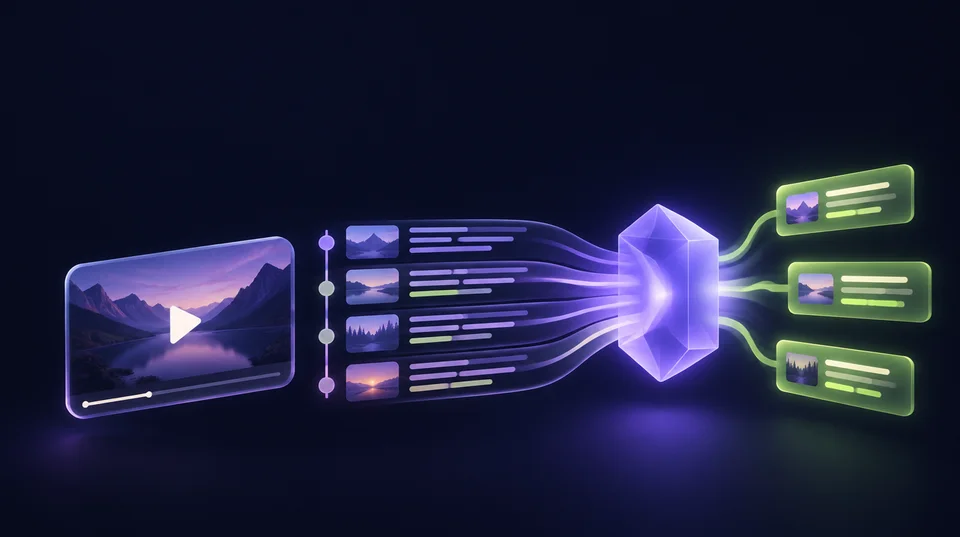
For search answers, AI models work mostly with text. They read the title, the description, the chapter list and the transcript, and they use video metadata such as language and upload date. A carefully produced video with a two-line description and no captions gives them very little to match against user queries. Some AI tools can analyse picture and sound as well, but text remains what an answer is quoted from.
Chapters play a special role. According to Otterly, Google's AI search products do not treat a timestamped video as one single asset: each chapter can be cited on its own, and 78% of timestamped videos in their data were cited repeatedly, often across two to five chapters. Timestamped citations appeared only in Google AI Overviews and AI Mode, not in ChatGPT, Copilot, Gemini or Perplexity.
How do you get a video found in ChatGPT?
Honestly: rarely through the video itself. In the Otterly data, ChatGPT accounted for 4.4% of all AI citations to YouTube. ChatGPT search prefers web pages it can read as text. If you want the content of a video to show up there, the content has to exist as text on a page you own.
The practical route is to embed the video on a page of your website, put the corrected transcript underneath, summarise the answer in the first paragraph and add structured data (VideoObject schema markup). Then ChatGPT, Perplexity and every other search engine can quote the page, and the page leads to the video. The video link in your description should point to exactly that page, not to your homepage.
Why is the transcript the most important GEO signal?
The transcript is the only complete record of what is said in the video. Automatic captions regularly misspell brand names, product names and technical terms, and those are precisely the words that decide whether your video fits a query. A transcript that calls your product by the wrong name helps your competitors more than you.
Upload your own captions or correct the automatic ones in YouTube Studio. It is the least glamorous step in any content strategy and one of the most effective: it improves discoverability on YouTube itself, makes the video usable for people who watch without sound, and gives LLMs an accurate text to work with.
GEO best practices: how to optimize video metadata
These are the checks our tool runs, in the order that usually helps most. None of them needs automation or special AI tools, only a few minutes in YouTube Studio per video.
- Answer first: write two or three full sentences at the top of the description that state the question and the answer. Only the first lines are visible without expanding.
- Description depth: summarise the video in 150 words or more. Otterly found description length to be one of the few features that correlates positively with being cited.
- Chapters: at least three timestamps, starting at 0:00, each chapter at least ten seconds long. On Google, every chapter can become its own citable unit.
- Captions: upload or correct them, so names and terms are right.
- Link: point to the page on your site where the answer is written out.
- Title: phrase it the way people ask, with the main keyword at the front, in 70 characters or fewer.
- Language and embedding: set the video language and allow embedding, so the video can sit next to its transcript on your own page.
Which metrics do not help you get cited by AI?
Popularity. Otterly measured the correlation between AI citations and views, likes and channel subscribers and found it close to zero in all three cases. An AI algorithm that looks for a source to answer a specific question does not care how big the channel is. That is good news for smaller brands: content relevance and clear text beat reach.
Format matters more than fame. In the same study, 94% of AI citations to YouTube went to long-form videos and only about 6% to Shorts. Short clips on YouTube or TikTok are useful for user engagement, but if AI visibility is the goal, prioritize a full-length video that answers one question properly.
SEO and GEO: what changes compared with traditional search?
GEO is the next step in the evolution of SEO, not a replacement. Traditional search engines rank pages for a keyword and show search results as a list. Generative engines read several sources, write an answer and name a few of them. Much of what worked in traditional search still applies: clear titles, structured data, fast and accessible pages. What changes is the unit of competition. In AI search you compete to be the passage, or the chapter, that gets quoted.
For video this shifts the work from thumbnails and click-through rates to text. BrightEdge already saw YouTube citations spike during the Search Generative Experience (SGE) test phase in 2023, before AI Overviews launched, and the trend has held since. Teams in digital marketing that treat a video description as an afterthought give away a competitive advantage that costs ten minutes per video.
Which GEO strategies make a video channel future-proof?
Start from questions, not from topics. Collect the questions your customers actually ask, and make one video per question. Put the question in the title, answer it in the first thirty seconds and in the first lines of the description. This is the video version of answer-first writing, and it works across AI platforms because it gives every engine the same clear match.
Keep the advice current. Much of what was written about video SEO up to 2025 treats AI algorithms as a side note and optimizing content as a matter of thumbnails and watch time. That still helps on YouTube itself. For content visibility in AI answers it is not enough: AI engines like Perplexity and Google AI need text they can quote, and the channels that provide it gain a competitive edge.
Then connect the content formats. Each important video gets a page on your website with the transcript, and each important page gets a video where a demonstration helps. Measure the result where it shows: track whether AI-powered engines like Google AI Overviews and Perplexity cite your video or your page for the questions you care about. That measurement, not a score, is the metric that tells you whether the work pays off.
How do you optimize video for AI search in 30 minutes?
You do not have to rework the whole channel. Pick the one video that answers your most important customer question and optimize that video first. The steps below follow the order in which the check ranks its fixes.
- Run the video through the check above and note the first three fixes.
- Rewrite the first paragraph of the description so that it states the question and answers it in two or three sentences.
- Add chapters. Watch the video once, note where each new sub-question starts and paste the list into the description.
- Open the captions in YouTube Studio, correct names, terms and numbers, and publish them.
- Add the link to the page on your website that covers the same question, and embed the video there with its transcript.
- Run the check again, then repeat the process for the next video.
What does the YouTube GEO check measure, and what not?
The check reads the public details YouTube returns for every video and scores ten signals: title length and phrasing, the opening of the description, its depth, chapters, uploaded captions, a link to your own site, language, tags, and whether the video is public and embeddable. For every signal that costs points you get a guide in plain language, with the clicks in YouTube Studio and, where it makes sense, a template to copy.
It does not read the content of your transcript, so it cannot judge whether the video answers its question well. It only detects captions the channel uploaded; YouTube does not reveal whether automatic ones exist. And the score describes readability, not success: whether you appear in AI-generated results is something only a measurement of real answers can show.